GUIDE

Learn MMENTO.

Get the most out of MMENTO. Step by step, in writing and on video.

Chapter 01

App tour

MMENTO is one app with three parts: your repertoire, Explore and AI. This is the tour: what each screen is for and how to move between them.

  1. Repertoire

    Every Magic Item you register is kept here.

    • FoldersCreate as many as you like and arrange it your way.

    • SearchFind any item with filters or a keyword.

  2. MMENTO Explore

    Search the Magic Items that exist online. Beyond your repertoire.

  3. MMENTO AI

    An AI that truly understands magic.

  4. Your account

    • RemindersAlerts, filtered or random, so no Magic Item gets forgotten and your repertoire stays fresh.

    • TagsTo classify your repertoire even further.
Chapter 02

Magic Item

A trick, a technique, a gimmick, a routine, a script or an idea. It's all the same thing: a Magic Item, one container for anything you want to keep.

Magic Item

  • Trick
  • Technique
  • Gimmick
  • Routine
  • Script
  • Idea

Built in screens

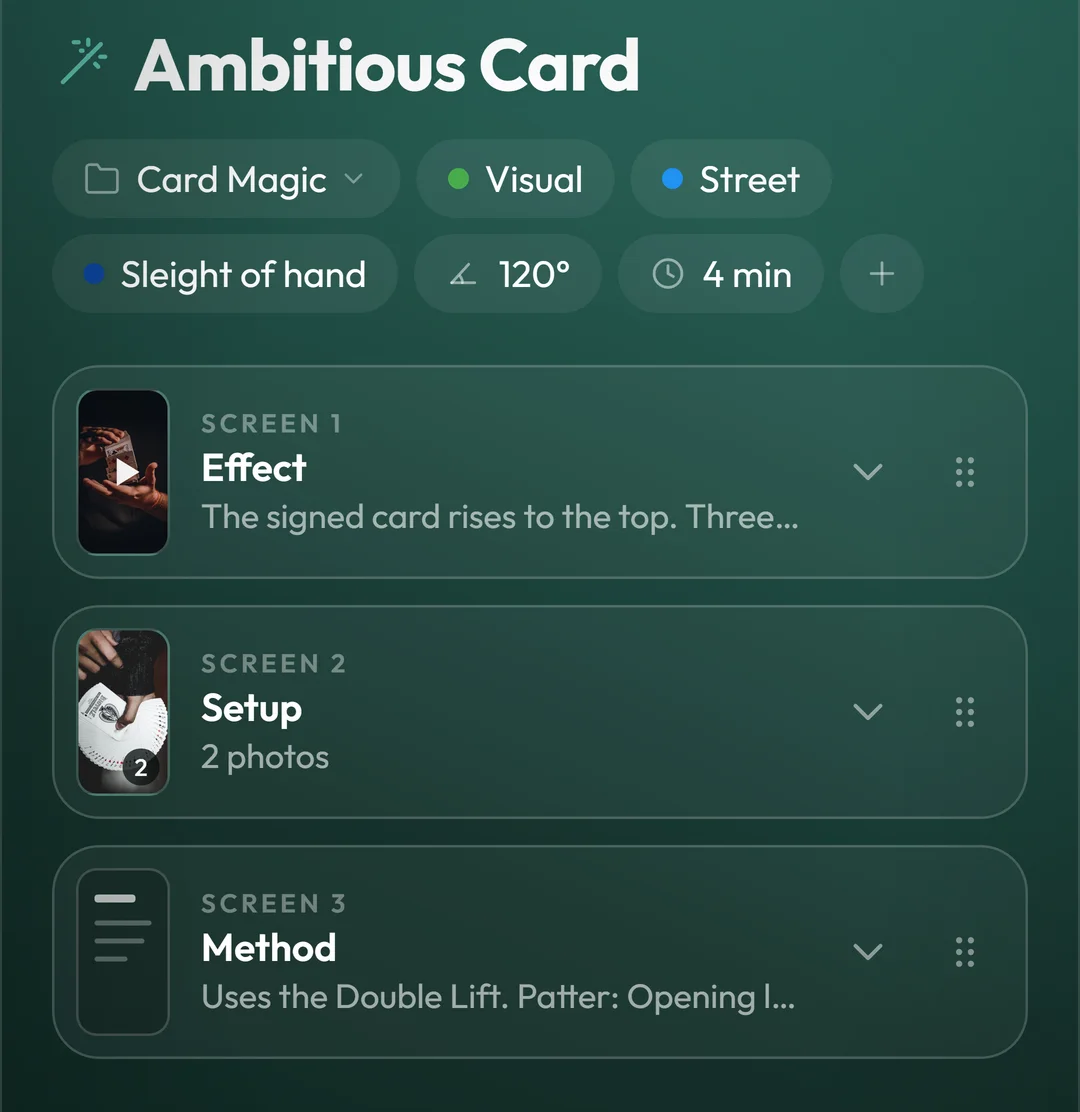
A screen holds text and/or a video or photos. In the text, type @ to mention other items. Add as many as you need: you decide the order.

The Ambitious Card item in the MMENTO app, with three screens: Effect with a video, Setup with two photos and Method with text that mentions other items.
A trick with three screens: a video, two photos and a text.

What you register, and what it's for, makes it a trick, a technique or a script. You give it its shape.

Chapter 03

MMENTO Explore

MMENTO Explore is a search engine and a feed for magicians. All the magic online, indexed.

The search engine

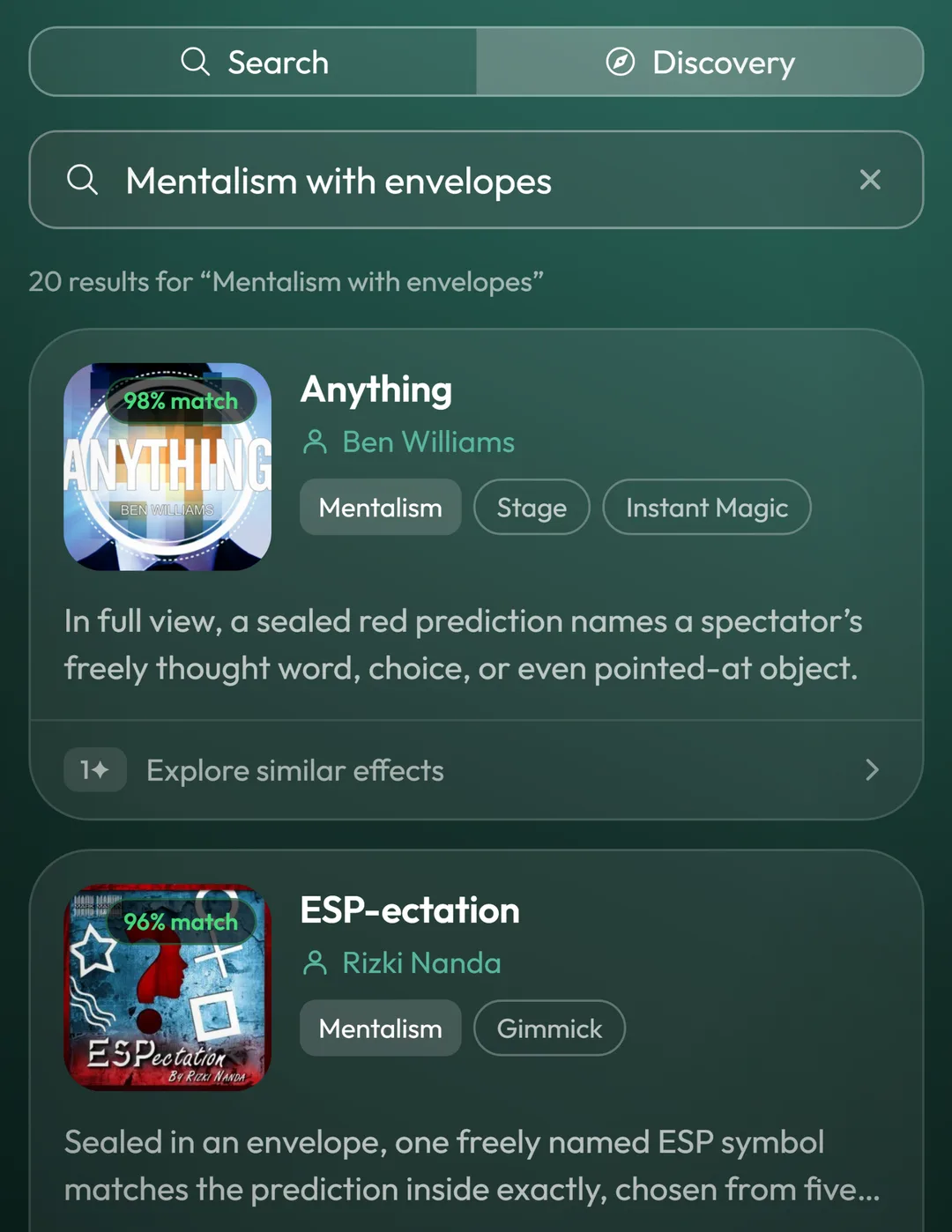
You don't need the exact name. Describe the idea and Explore finds what comes closest.

A search in MMENTO Explore for the idea “Mentalism with envelopes”: 20 results, each with its match percentage, 98% for the first and 96% for the second.
You search for an idea and every result says how close it is.
  1. Just describe it.

    Type what's on your mind, like “mentalism with envelopes”.

  2. It understands you.

    Explore reads the idea and looks for the closest thing that exists.

  3. See how close.

    Every result carries its match percentage, from highest to lowest.

Your feed

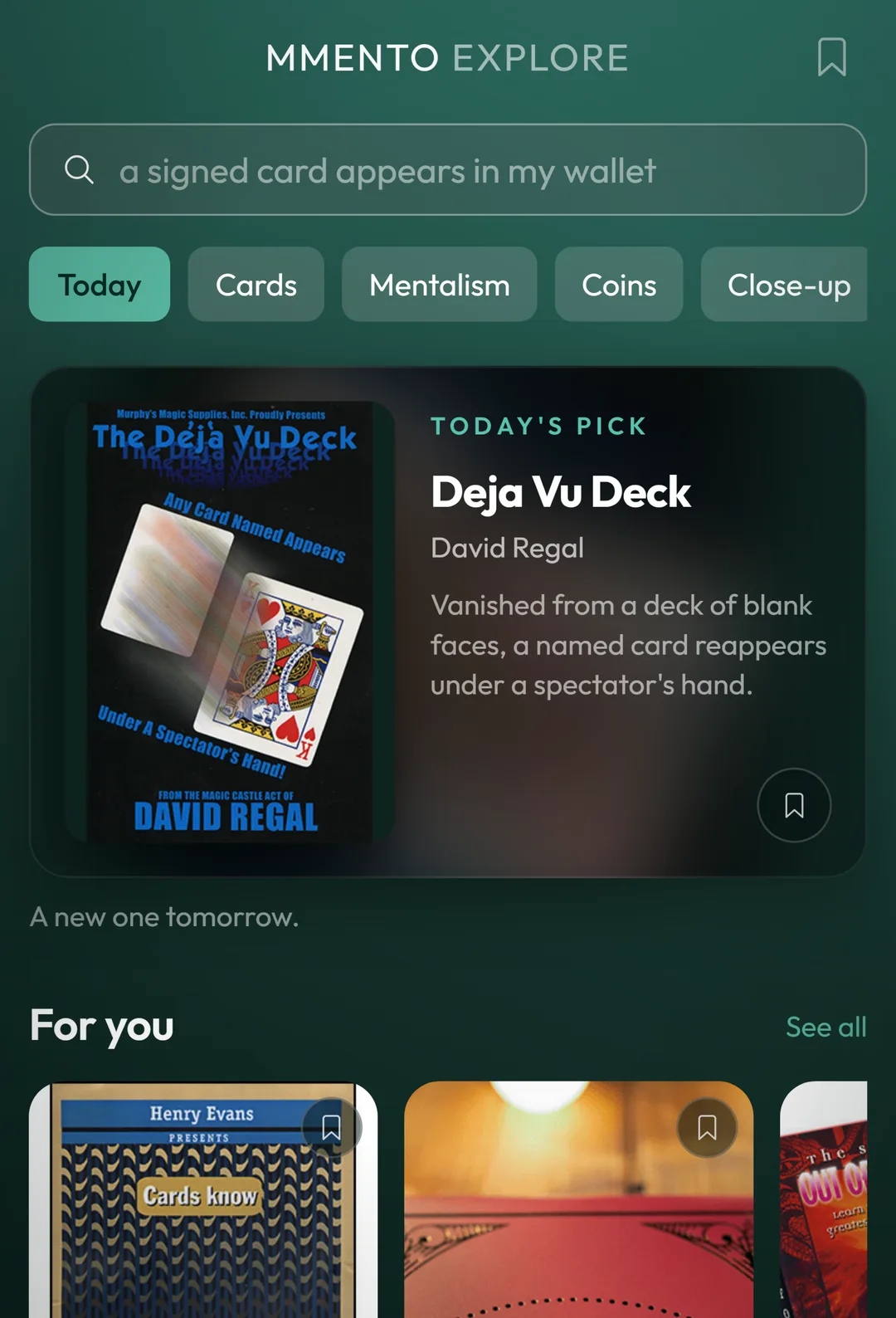
Made for you. Rows of magic grouped from different angles: your taste, the best rated, something different. And every category has its own feed.

The MMENTO Explore home: the search bar and the Today, Cards, Mentalism, Coins and Close-up tabs on top; below, today's pick and the “For you” row.
The search bar on top. Below it, your feed: today's pick and the rows made for you.

Chapter 04

Your repertoire

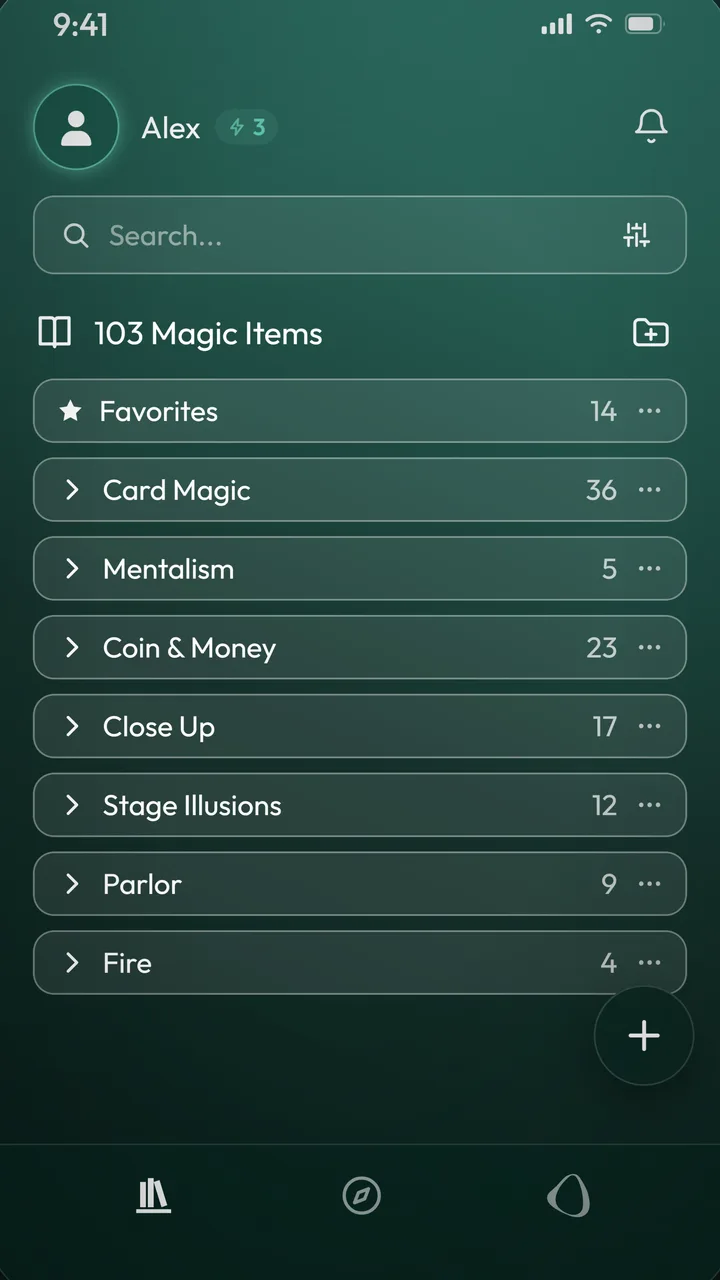
Your repertoire is your epicenter: every Magic Item you have, organized your way.

The repertoire in the MMENTO app: 103 Magic Items spread across categories such as Card Magic, Mentalism or Coin & Money, each with its count.
  • Categories and tags

    Your repertoire is sorted by categories first, then by tags.

  • Just a title and a category

    That's all you need to register an item. The rest is optional, but the more you add, the easier it is to find with filters or tags.

  • Mentions

    Mention one Magic Item inside another to connect them. That's how you weave your network and build your routines and shows.

  • Your way

    Organize it however you like. Everything is indexed so you can find it faster later.

  • Private and encrypted

    Your whole repertoire is private and encrypted. It is not public.

  • Offline

    Use it without internet, except for videos. You can register too: it uploads when you're back online.

Still have a question?

Write to us. We'll get back to you.

Get MMENTO

Choose your platform.